- Career
- UX Engineering
The Intersection of UX and Frontend Development
What a UX engineer actually does all day, why the role exists, and how to grow into it if you're a designer who codes or a developer who cares about design.
• 4 min read •
“So are you a designer or a developer?”
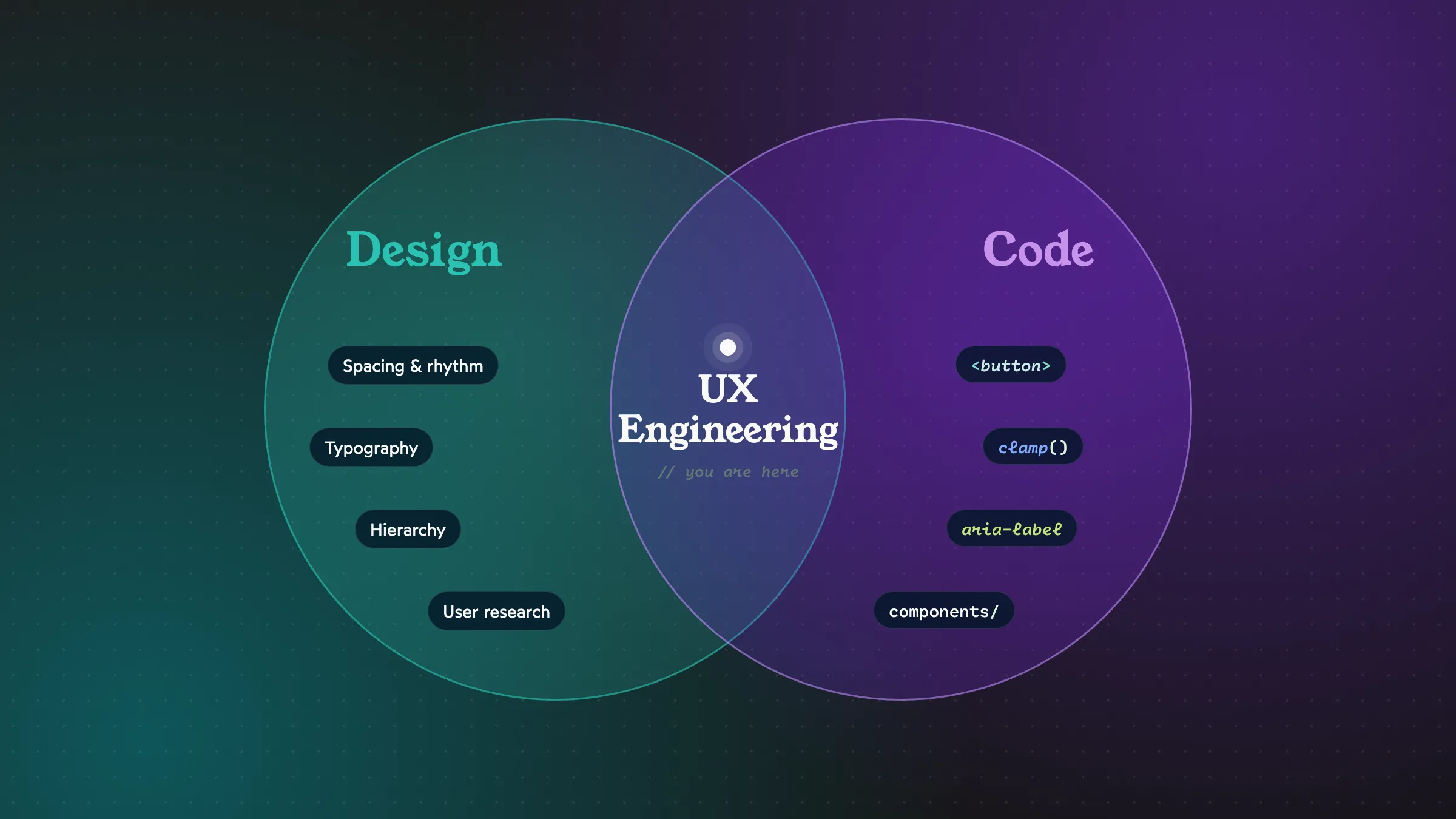
I get asked this a lot, and the honest answer is: yes. My job title is UX Engineer, and the easiest way to explain it is that I’m the person who makes sure what we designed and what we shipped are actually the same thing.
If you’re a frontend dev who keeps getting pulled into design discussions, or a designer who secretly opens DevTools to tweak things, this one’s for you.
Why this role even exists
Picture a typical product team. Designers think in screens, flows and feelings. Developers think in components, data and edge cases. Both are right. But the place where those two worldviews meet, the actual interface running in someone’s browser, often has nobody fully owning it.
That’s where details get lost:
- The animation that felt smooth in the prototype feels sluggish in production.
- The button that looked fine in Figma has no focus style, so keyboard users can’t see where they are.
- The layout that worked at 1440px quietly falls apart at 1024px.
A UX engineer lives right in that space. Not quite designer, not quite backend-leaning dev, but someone fluent enough in both to make the hand-off feel less like a hand-off.
What it looks like day to day
There’s no typical day, but here’s the kind of stuff that fills my week:
Building and maintaining UI components. Buttons, inputs, modals, data tables. The building blocks that every other team uses. Getting these right (accessible, flexible, well-documented) has a multiplier effect.
Prototyping in code. Sometimes a static mockup can’t answer the question. “How should this drawer feel when you swipe it?” is easier to answer with a quick coded prototype than ten Figma frames.
Reviewing designs with an engineering eye. Spotting early when something is going to be very expensive to build, and suggesting an alternative that gets 95% of the way there for 20% of the effort.
Reviewing code with a design eye. Catching the 4px spacing inconsistency, the missing hover state, the line-height that’s slightly off.
Championing accessibility. Often the UX engineer is the person who notices that a custom dropdown can’t be operated with a keyboard, and knows how to fix it.
Where knowing both actually pays off
Let me give you a real example of the kind of decision this role makes.
A designer specs a heading at 48px on desktop and 32px on mobile. A typical implementation:
h1 { font-size: 32px; }

@media (min-width: 1024px) {
  h1 { font-size: 48px; }
}
That works, but between 1023px and 1024px the heading suddenly jumps 16px. If you understand both the design intent (“big on big screens, smaller on small ones”) and CSS, you can do this instead:
h1 {
  font-size: clamp(2rem, 1.2rem + 2.5vw, 3rem);
}
Now the heading scales smoothly with the viewport. You’ve honored the design better than the spec did. That’s the sweet spot.
Another one: a designer wants a list of 50 cards to fade in one by one. Lovely idea. But 50 staggered animations means the last card appears after several seconds, and on a low-end phone it janks. Knowing both sides, you can suggest animating only the first handful and showing the rest instantly. Same feeling, none of the cost.
The skills that matter most
If you want to grow into this space, here’s where I’d invest:
From the dev side, get really good at:
- Semantic HTML. Honestly underrated. The right element (
<button>,<nav>,<label>) gives you accessibility and behavior for free. - Modern CSS. Flexbox, grid, custom properties, container queries. Most “this is hard to build” design conversations disappear once you’re fluent in CSS.
- One component framework. React, Vue, Svelte, whatever. The concepts (props, state, composition) transfer.
- Accessibility basics. Keyboard navigation, focus management, ARIA when needed (and knowing when it’s not needed).
From the design side, get comfortable with:
- Visual fundamentals. Spacing, typography, hierarchy, contrast. You don’t need to be a great visual designer, but you need to see what’s off.
- Figma. Enough to inspect files, use auto layout, and occasionally make a quick tweak to show an idea.
- Talking to users. Even sitting in on a few usability tests changes how you build.
The soft skill nobody mentions
The hardest part of this role isn’t technical. It’s translation and diplomacy.
You’ll often need to tell a designer “this will take three weeks” or tell a developer “this needs to be 8px, not 10px, and yes it matters.” Both conversations go better when you clearly respect the other person’s craft. I try to always come with a why and, ideally, an alternative.
“This animation is going to be expensive on low-end phones. What if we try this instead?” lands so much better than “We can’t do that.”
How to start, wherever you are
If you’re a developer: Next time you build something, open the Figma file and compare it side by side with your build. Notice the differences. Ask the designer about the ones you’re unsure of. Do that for a few months and your eye will sharpen fast.
If you’re a designer: Learn enough HTML and CSS to build a simple page from scratch. Not to become a developer, but so you understand what’s easy, what’s hard, and what’s free.
Either way: Build something real. A personal site, a small tool, a component library for fun. There’s no substitute for owning something from idea to deploy.
Wrapping up
The best interfaces I’ve worked on didn’t come from great designers or great developers. They came from teams where those two groups actually understood each other. Being someone who can stand in the middle and help that happen is one of the most satisfying jobs I know.
If that sounds like you, welcome. We could use more of us.